How to Use Gift Cards
Purpose
Use this guide when a guest buys a gift card, asks for a balance check, refills an existing card, or pays an order with a gift card.
Before You Start
- Gift card functionality must be enabled for the location.
- An internet connection is needed to validate gift cards during payment and balance checks.
- For a physical card sale, have the gift card ready to scan, swipe, or manually enter.
- For an e-gift card sale, confirm the recipient phone number or email address before saving.
Sell a New Gift Card
-
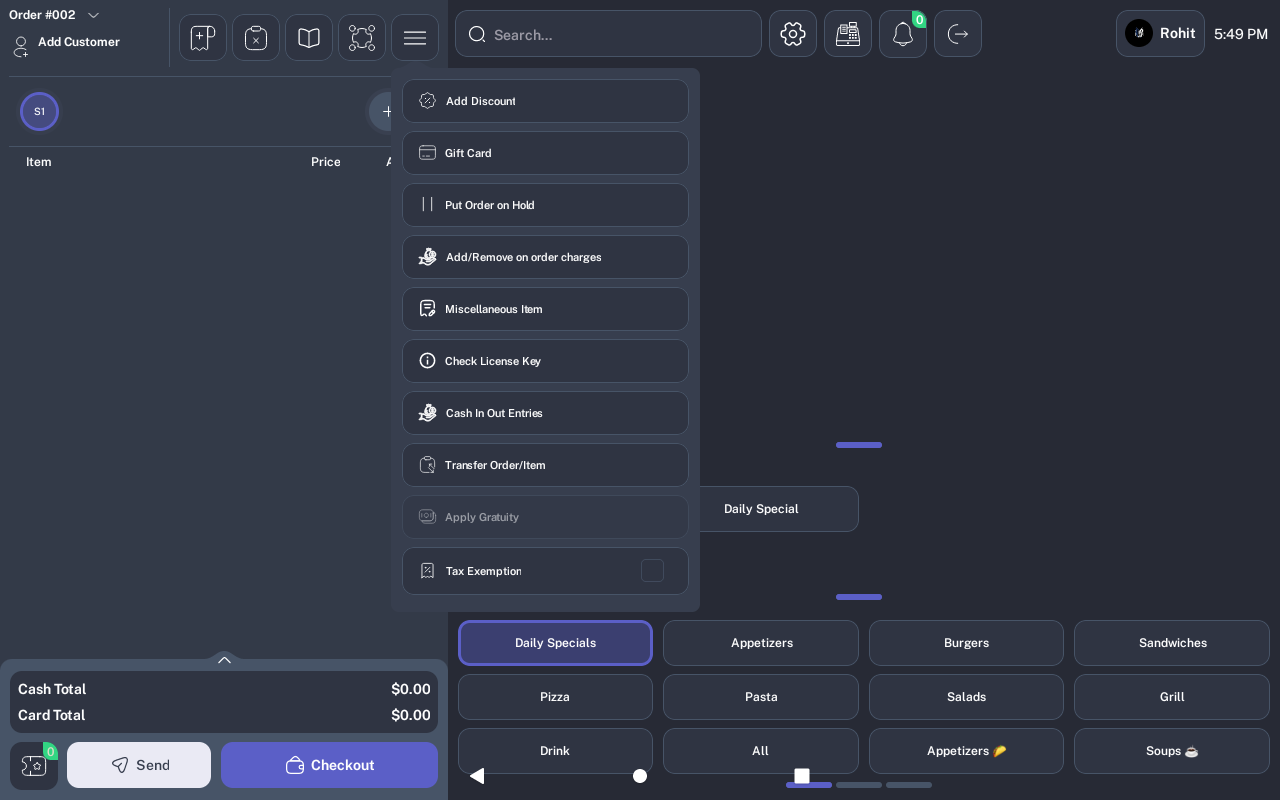
From the order screen, open the options menu and tap Gift Card.
-
On the Gift Card screen, choose Physical Card or E-Gift Card.
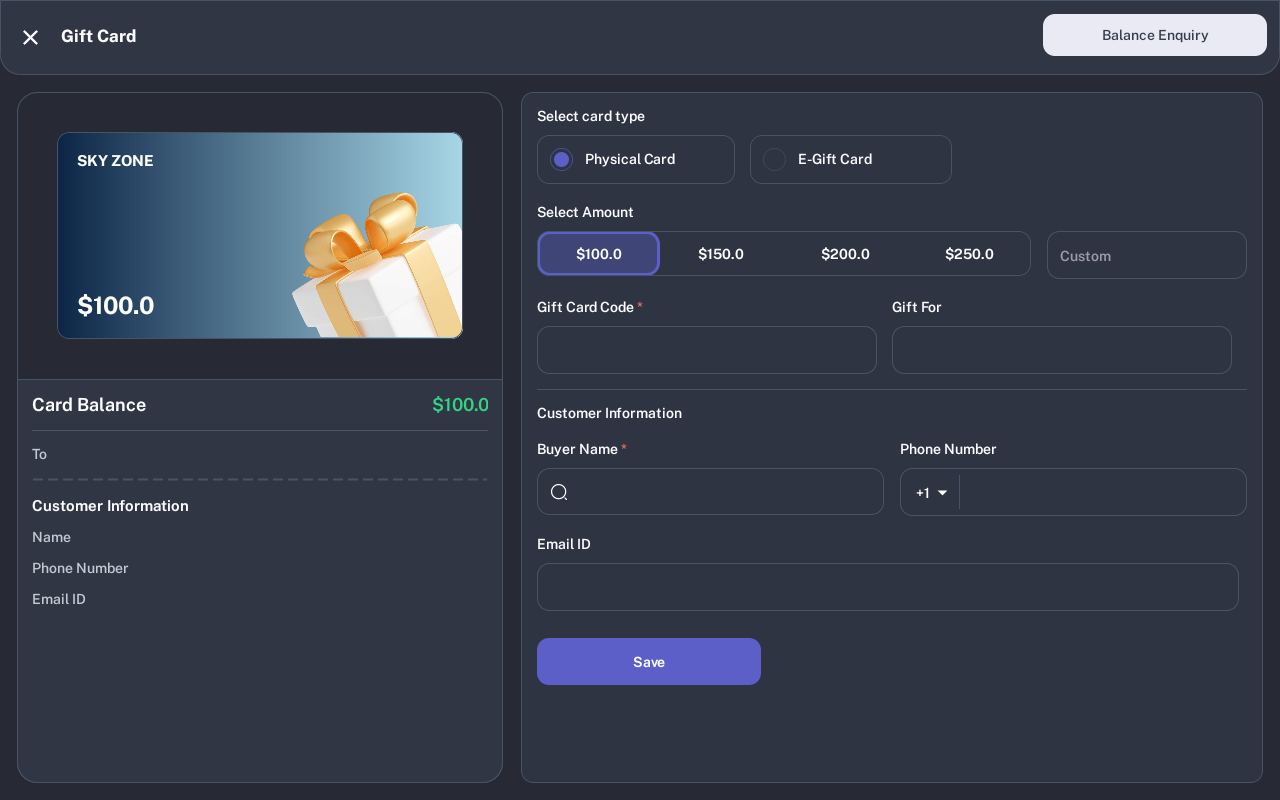
- Select a preset amount, or enter a custom amount.
- For a physical card, enter the Gift Card Code. For an e-gift card, enter the recipient phone number or email address.
- Enter the buyer under Customer Information. Select an existing customer when available.
- Review the card preview, then tap Save. The card is added to the order as a gift card item.
- Checkout the order normally to collect payment for the gift card sale.
Check a Gift Card Balance
-
From the Gift Card screen, tap Balance Enquiry.
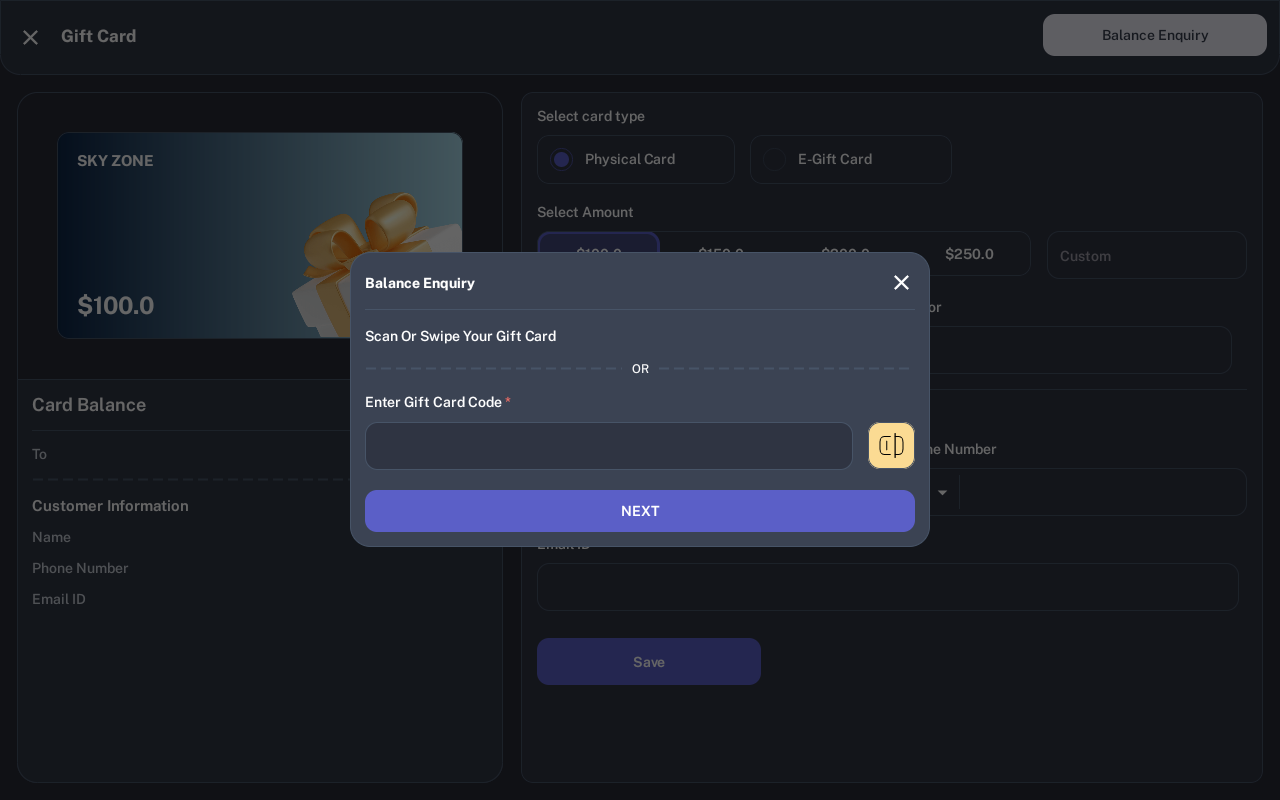
- Scan, swipe, or manually enter the gift card code.
- Tap Next. If the code is valid, the POS opens the card details and shows the current balance.
Refill an Existing Gift Card
- Open Balance Enquiry and find the existing card.
- On Gift Card Details, review the card balance and usage history.
- Tap Refill Card, enter the refill amount, and confirm.
- Checkout the order normally to collect payment for the refill.
Take Payment by Gift Card
-
From the payment screen, tap Pay and choose Gift Card.
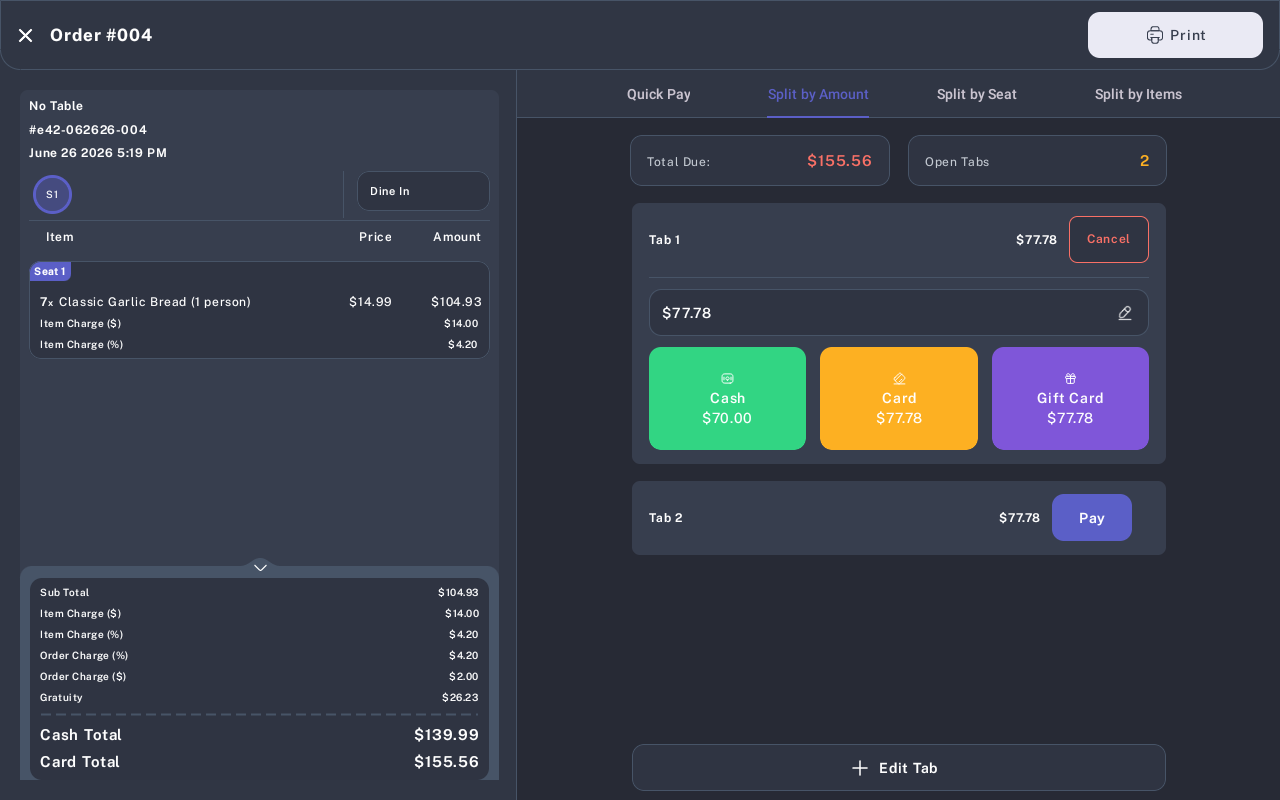
- Scan, swipe, or enter the gift card code.
- Tap Pay. The POS validates the card and checks the balance.
- If the card has enough balance, confirm the payment. If the balance is too low, collect the remaining amount with another payment method.
Expected Result
A new or refilled gift card is added to the order before checkout. A gift card payment reduces the order balance and records the gift card transaction. Balance enquiry shows the card details only after the card code is valid.
Common Questions
- Can an order contain normal menu items and a gift card sale? No. When purchasing gift cards, only gift cards are allowed in the cart. Hold or save the current order first if needed.
- Can a customer pay with a gift card and another method? Yes. Use the gift card first, then collect any remaining balance with another payment method.
- Can I manually enter a card instead of swiping? Yes. Use the Gift Card Code field when scan or swipe is not available.
Assumptions to Verify
Screenshots were captured from an iMin D1 using the tablet POS layout. Exact gift card amounts, card artwork, location name, and post-payment prompts may vary by location settings, network state, and tip configuration.