How to Use Closing
Purpose
Use Closing at the end of the day to clear open orders, confirm team clock-out status, count cash, close the restaurant, and print the shift report.
Before You Start
- Sign in with a manager profile.
- Review open and paid orders before starting the final close out.
- Have the cash drawer ready to count.
- Make sure a receipt printer is configured if you need to print the shift report.
Steps
-
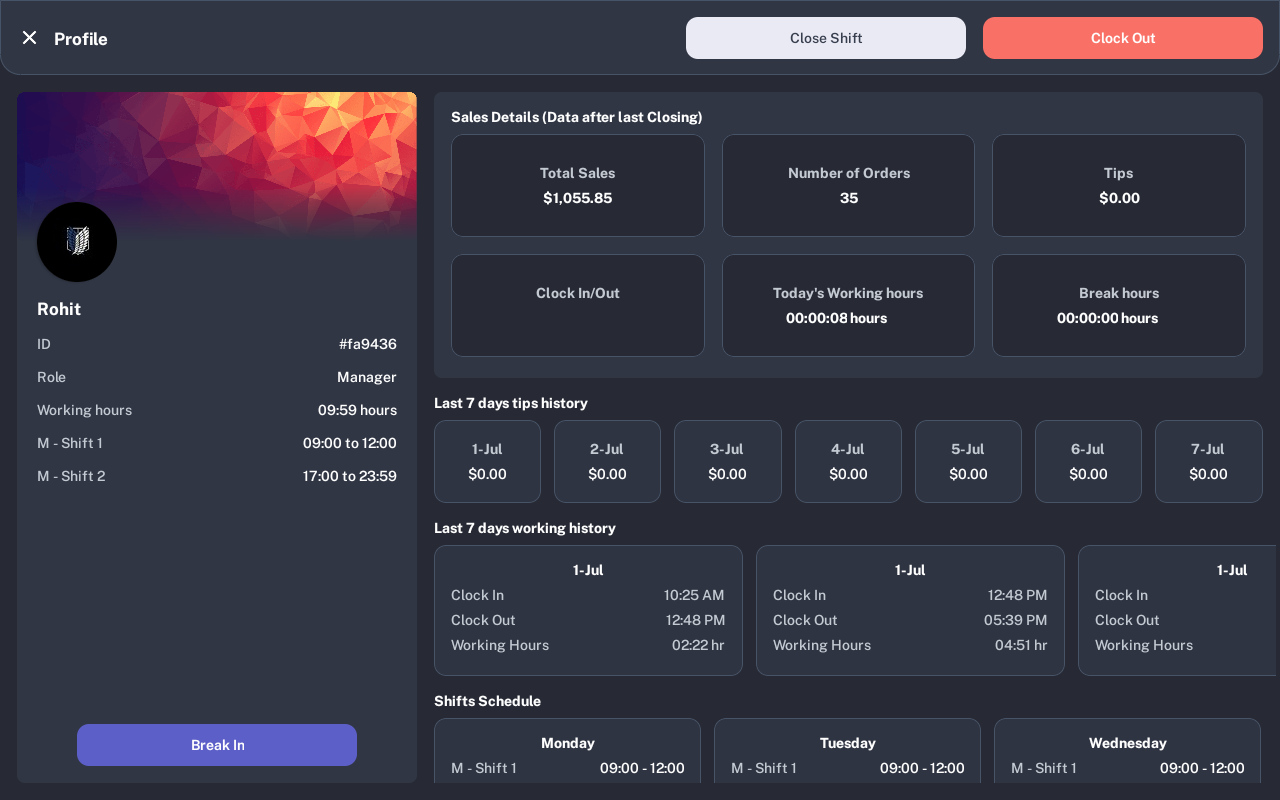
Open the manager Profile screen and tap Close Shift.
-
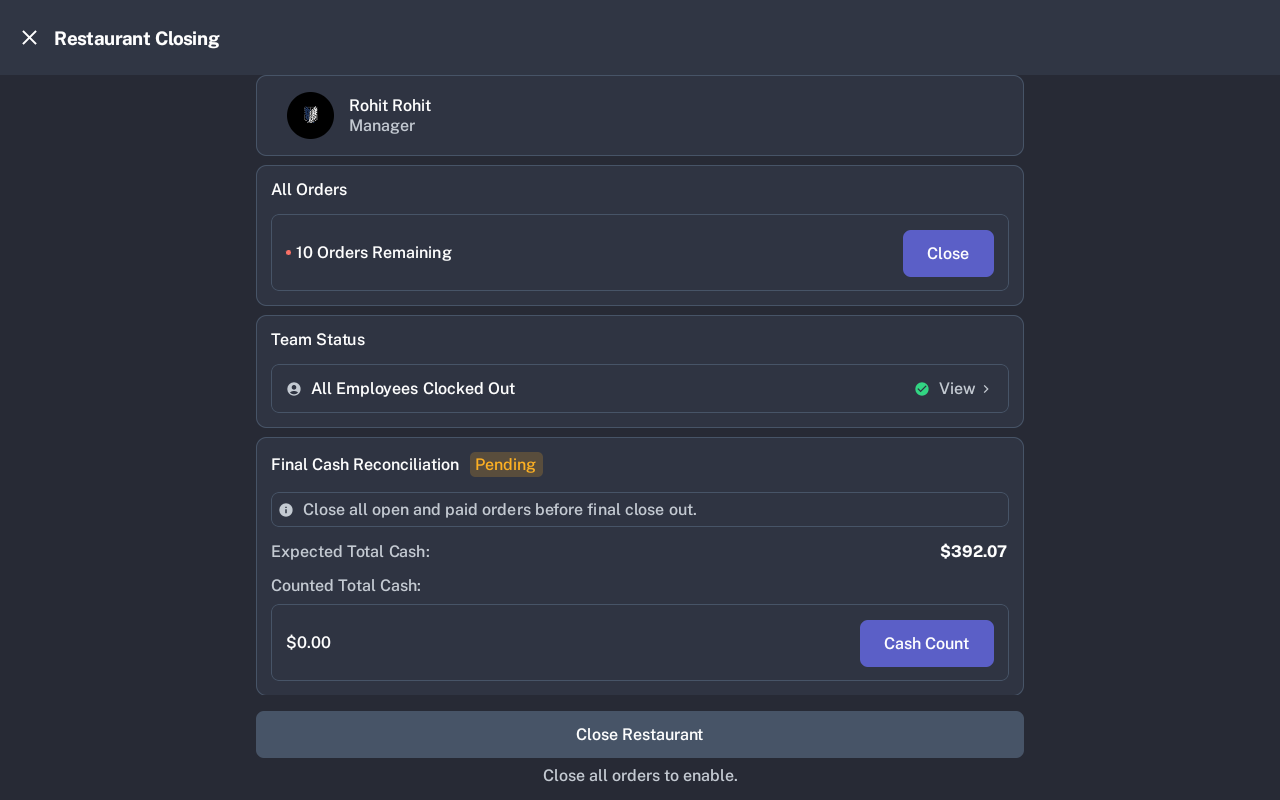
On Restaurant Closing, review All Orders, Team Status, and Final Cash Reconciliation.
-
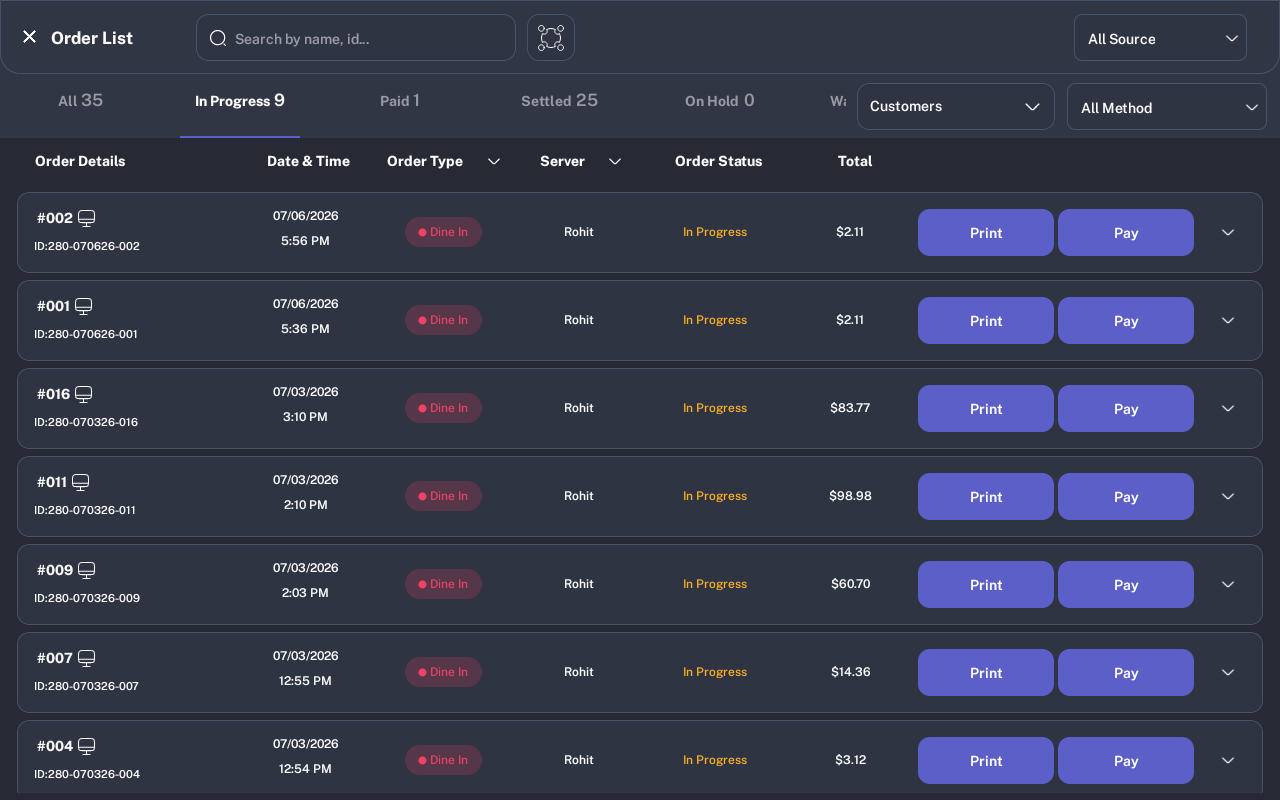
If orders remain, tap Close in the All Orders card. Finish every open or paid order from the Order List.
- Return to Restaurant Closing. If employees are still clocked in, open Team Status and clock them out, or confirm the close-out warning if your store allows it.
-
Tap Cash Count. Count the drawer by denomination, or use Enter Float Cash to enter the total counted cash amount.
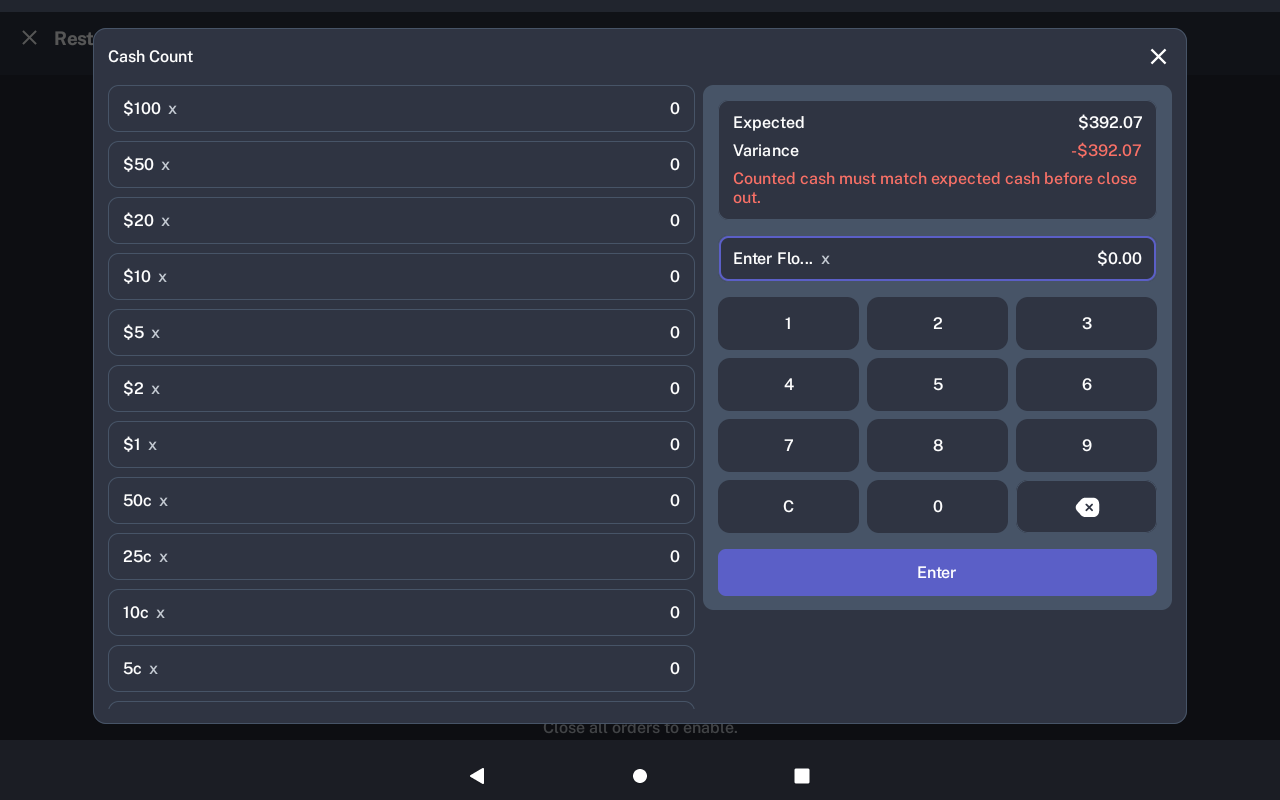
- Tap Enter. Confirm that Counted Total Cash and Variance look correct on the closing screen.
- Tap Close Restaurant when it becomes available. The button stays disabled until open and paid orders are cleared and the required cash count is entered.
- On Shift Summary, review total sales, payment breakdown, tips, refunds, voids, wastage, and cash variance. Tap Print Shift Report if a printed copy is needed, then tap Logout.
Expected Result
The restaurant shift is closed, closing cash is saved, the shift summary is shown, and the manager can print the shift report or log out.
Common Questions
- Can I close with open orders? No. The closing screen blocks final close out until open and paid orders are cleared.
- Can I enter one cash total instead of every bill and coin? Yes. Use Enter Float Cash in Cash Count to enter the total counted amount.
- What happens after closing? The shift summary shows totals for sales, payments, tips, refunds, voids, wastage, and cash variance.
Notes
Screenshots were captured from a D1 demo device. Store totals, staff names, order counts, printer list, and batch-out options vary by restaurant setup.